
How to Adjust Ceiling Fan Direction for Summer and Winter Comfort
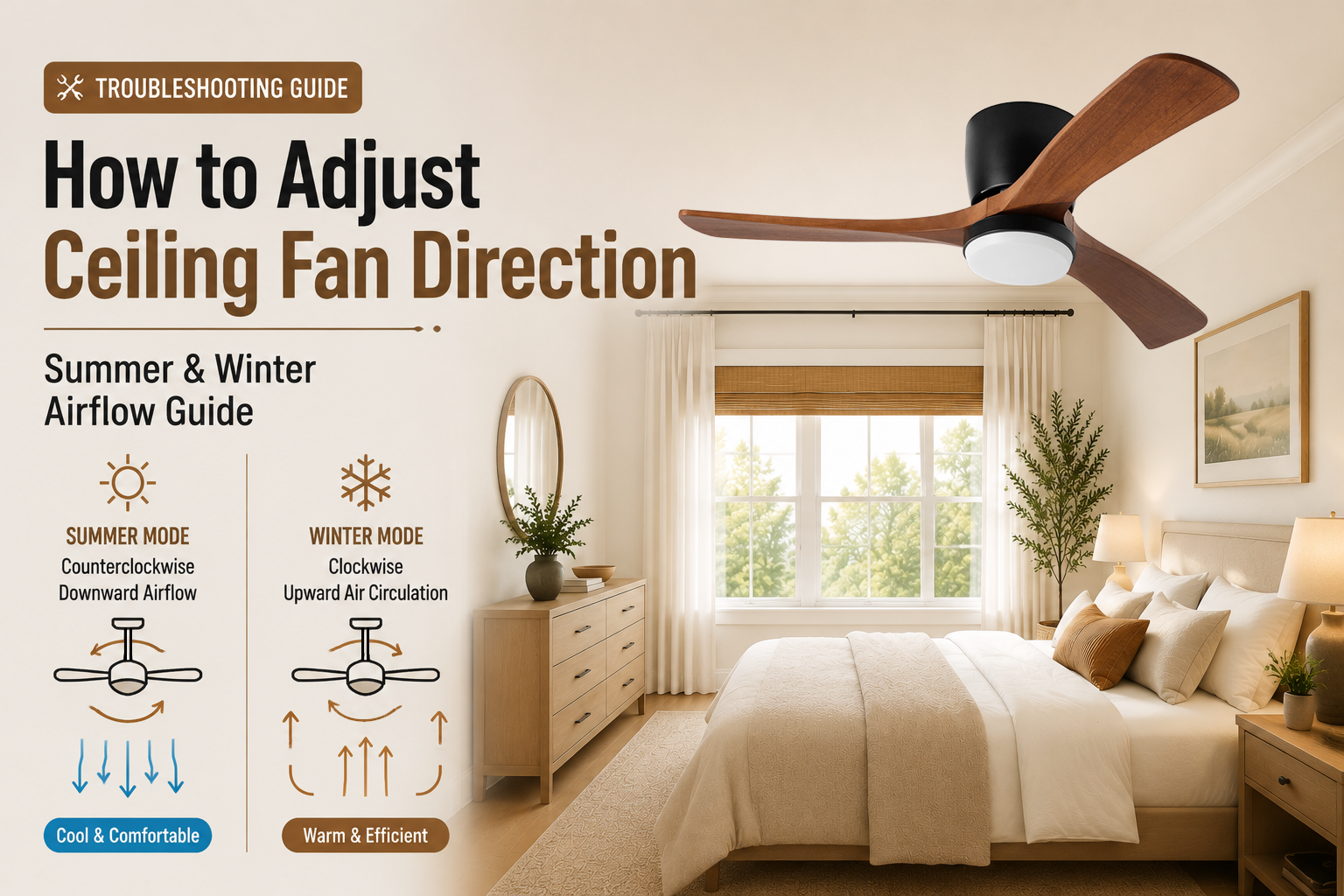
Quick answer: During summer, a ceiling fan should rotate counterclockwise to create downward airflow and a cooling effect. During winter, a ceiling fan should rotate clockwise at a low speed to circulate warm air near the ceiling back into the room.
| Season | Ceiling Fan Direction | Main Benefit |
|---|---|---|
| Summer | Counterclockwise | Creates downward airflow and a cooling breeze |
| Winter | Clockwise | Helps redistribute warm air throughout the room |
A ceiling fan does not actually lower the temperature of a room like an air conditioner. Instead, it changes how air moves around the space. By selecting the correct ceiling fan direction, you can improve comfort and make better use of your heating and cooling system.
Most modern DC motor ceiling fans include a reversible airflow function, allowing users to switch between summer and winter modes through a remote control, wireless wall control, or compatible mobile app.
Why Does Ceiling Fan Direction Matter?
The direction a ceiling fan rotates determines how air is distributed. A wrong setting may create less comfortable airflow, while the correct direction helps maximize the fan's performance.
Summer Cooling
The correct direction creates a stronger downward breeze that helps you feel cooler without lowering the actual room temperature.
Winter Air Circulation
The reverse direction gently moves warm air near the ceiling back into the living area.
Which Direction Should a Ceiling Fan Turn in Summer?
Counterclockwise Direction for Cooling
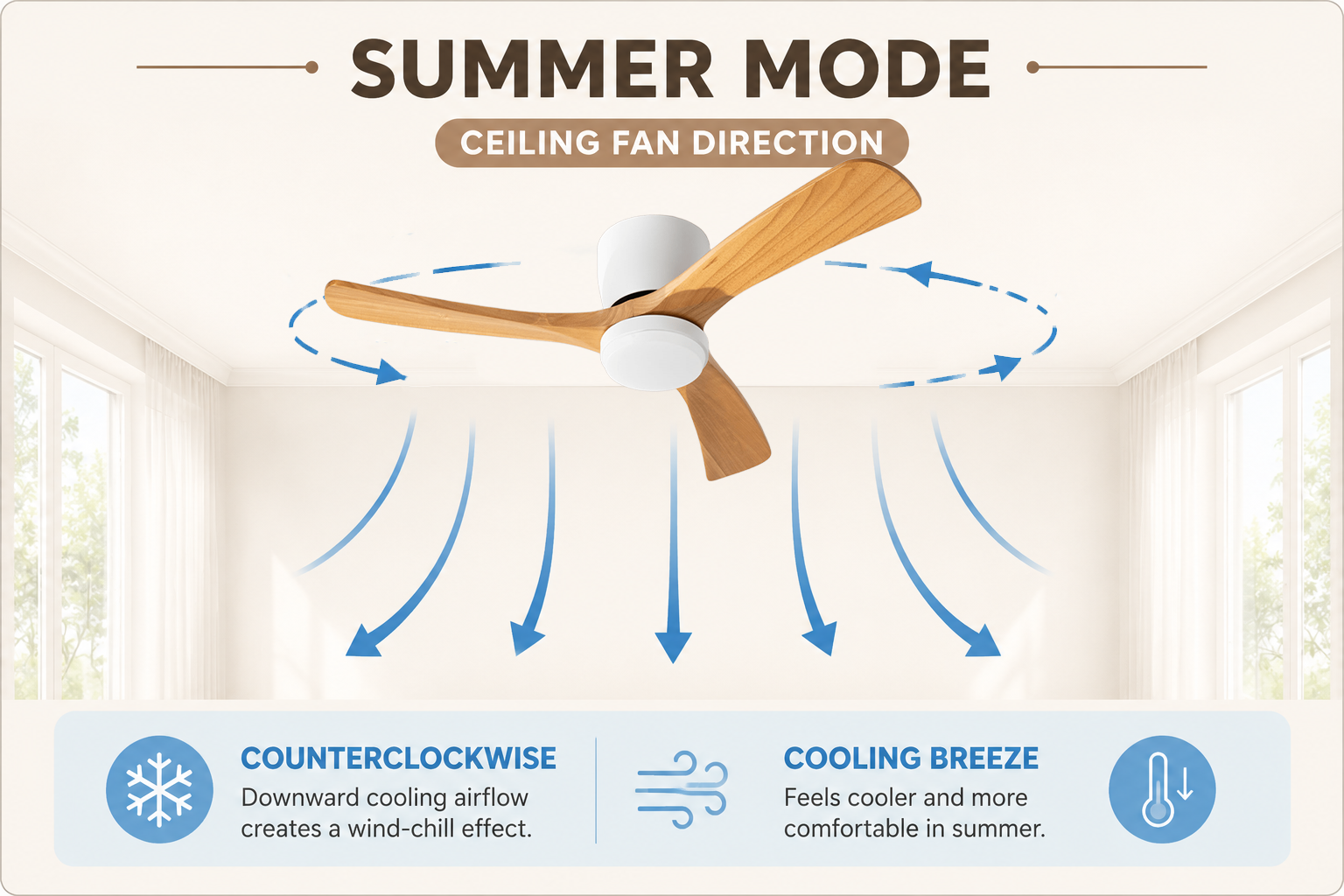
During summer, most ceiling fans should rotate counterclockwise when viewed from below. This pushes air downward and creates a wind-chill effect, helping your skin feel cooler.
| Setting | Effect |
|---|---|
| Counterclockwise rotation | Creates direct downward airflow |
| Higher fan speed | Produces stronger cooling sensation |
Which Direction Should a Ceiling Fan Turn in Winter?
Clockwise Direction for Better Air Circulation
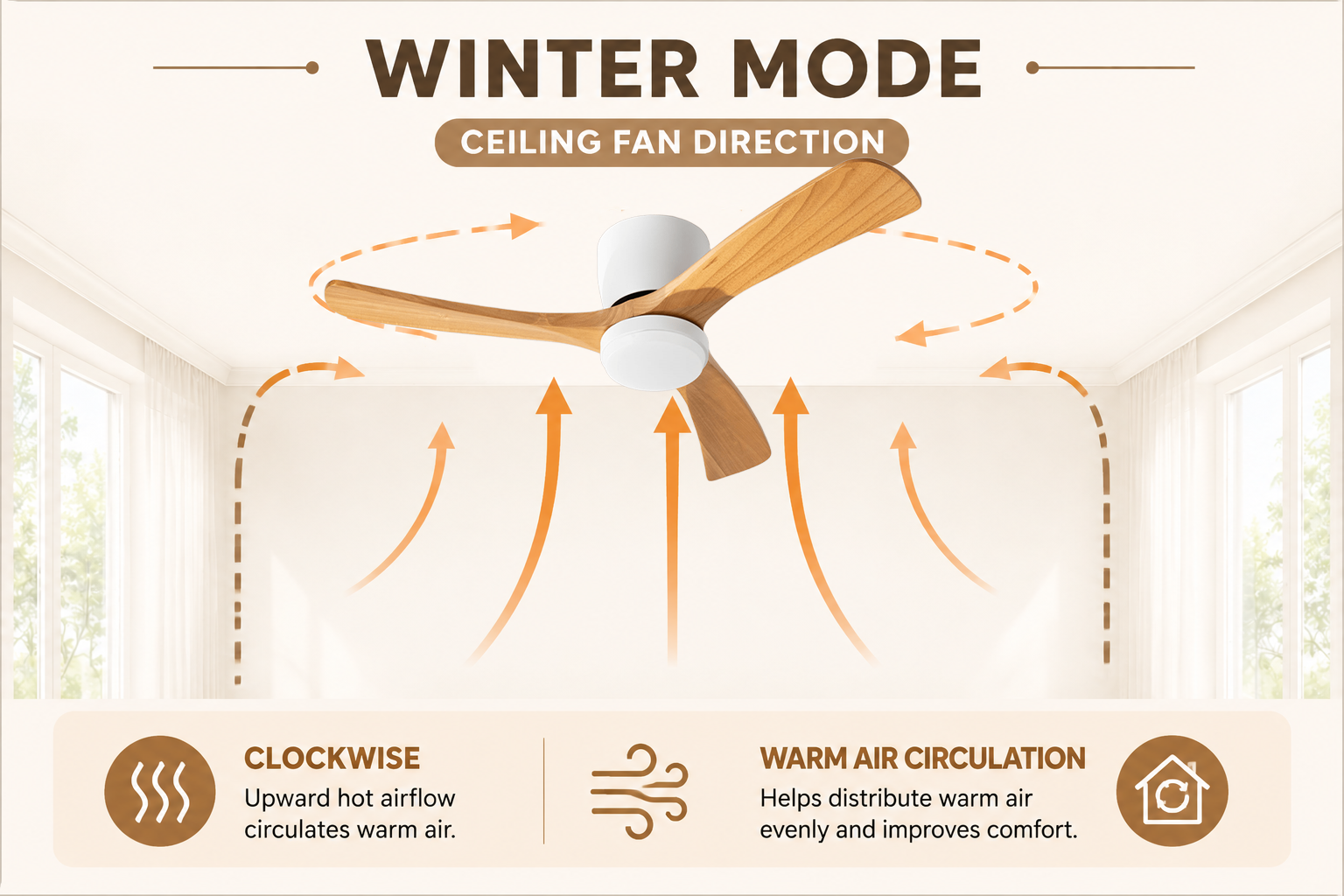
During winter, ceiling fans should rotate clockwise at a low speed. This creates an upward airflow pattern that helps move warm air collected near the ceiling back into the room.
| Setting | Effect |
|---|---|
| Clockwise rotation | Circulates warm air without creating a strong breeze |
| Low speed operation | Provides gentle and comfortable airflow |
How to Change Ceiling Fan Direction
Most modern ceiling fans allow you to change airflow direction without accessing the motor housing. The exact method depends on your fan model and control system.
Using Remote Control
Remote control is the most common way to change ceiling fan direction on modern DC motor fans. Look for the Forward/Reverse (F/R) button or the direction icon on your remote.
Steps to Change Direction with Remote Control
- Turn off the ceiling fan and wait until the blades stop completely.
- Press the Forward/Reverse button on the remote control.
- Turn the fan back on and check the airflow direction.
Always allow the fan blades to stop completely before changing direction. Switching direction while the fan is running may prevent the receiver from registering the new setting correctly.
Using Wireless Wall Control
Some ceiling fans also support wireless wall controls. Unlike traditional wired wall switches, wireless wall controls do not require hard-wiring and communicate with the fan receiver through wireless signals.
Wireless wall controls work like handheld remotes and do not require wall wiring. Press the Forward/Reverse button to switch between summer and winter airflow modes.
Using Mobile App Control (Compatible Models)
Some ceiling fan models support mobile app control. Depending on the model, users may adjust fan speed, lighting, and airflow direction directly from their phone.
How to Tell If Your Ceiling Fan Direction Is Correct
After changing the direction, you can check whether the setting is correct by observing the airflow and how the room feels.
| Season | What You Should Feel | Correct Direction |
|---|---|---|
| Summer | A noticeable breeze directly below the fan | Counterclockwise |
| Winter | Gentle circulation without strong downward airflow | Clockwise |
Common Ceiling Fan Direction Problems
If your ceiling fan direction does not change after pressing the reverse button, the issue is usually related to operation, remote settings, or receiver communication.
| Problem | Possible Cause | Solution |
|---|---|---|
| Fan direction does not change | Fan blades are still moving | Wait until the fan stops completely and try again |
| Remote does not respond | Battery issue or lost pairing | Replace batteries or pair the remote again |
| Reverse button does not work | Incorrect button or remote setting | Check the remote manual and direction icon |
| Airflow feels incorrect | Wrong seasonal mode selected | Confirm summer or winter direction setting |
Common Ceiling Fan Direction Mistakes
Changing Direction While the Fan Is Running
Always stop the fan completely before switching direction. This allows the receiver to correctly recognize the new setting.
Expecting a Fan to Cool Like an Air Conditioner
Ceiling fans improve comfort by moving air across your skin. They do not reduce the actual room temperature.
Using the Wrong Seasonal Setting
Summer and winter modes create different airflow patterns. Selecting the wrong direction may reduce comfort.
Ignoring Other Fan Problems
If your fan shakes or makes unusual noises, check installation and blade balance before changing direction.
Related Ceiling Fan Guides
If you are troubleshooting other ceiling fan issues, these guides may also help:
- How to Balance a Ceiling Fan
- Ceiling Fan Remote Troubleshooting Guide
- Ceiling Fan Installation Guide
FAQ: Ceiling Fan Direction
What direction should a ceiling fan turn in summer?
During summer, a ceiling fan should rotate counterclockwise when viewed from below. This creates downward airflow and a cooling breeze.
What direction should a ceiling fan turn in winter?
During winter, a ceiling fan should rotate clockwise at a low speed to help circulate warm air near the ceiling.
Can I change ceiling fan direction with a remote?
Yes. Many modern ceiling fans allow direction changes through remote control using a Forward/Reverse button.
Why is my ceiling fan direction not changing?
Make sure the fan has stopped completely before changing direction. If the remote does not respond, check batteries, pairing, and receiver communication.
How often should I change my ceiling fan direction?
Most users only need to change direction when seasons change. Use summer mode during warmer months and winter mode during colder months.
Final Takeaway
Adjusting your ceiling fan direction is a simple way to improve comfort throughout the year. Use counterclockwise rotation during summer for a cooling breeze and clockwise rotation during winter to help circulate warm air.
If your ceiling fan direction does not change, check the remote control, wireless wall control, or app settings before assuming there is a mechanical problem. Modern DC motor ceiling fans with reversible airflow make seasonal adjustments easier through remote control and smart controls.
Looking for a Quiet and Efficient Ceiling Fan?
Explore our DC motor ceiling fans with reversible airflow, remote control, and modern designs for residential and project applications.
Browse Ceiling Fans


